For affiliates seeking to enhance their websites while earning commissions, the Common Ninja Embedded Widgets Catalog is the perfect solution. It offers a diverse range of customizable, user-friendly widgets that can be easily integrated into any website.
Affiliates Embedded Catalog
Boost Your Affiliate Game with Our High-Impact, Customizable Widgets Catalog
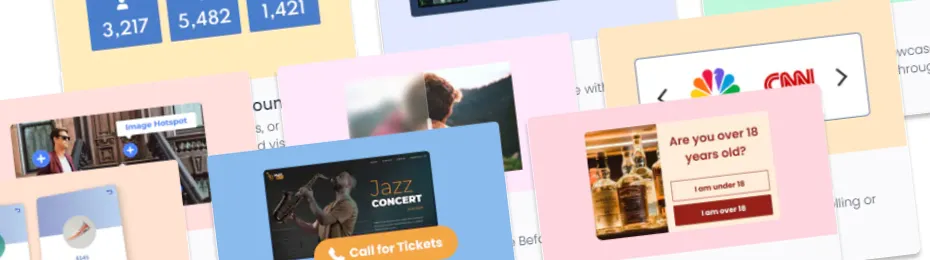
Take your Embeddable Widget Catalog to the next level
Just Like Other Common Ninja Widgets: If you've used our widgets before, you'll feel right at home. It works the same way!
To ensure you get the most out of the Embedded Widgets Catalog, consider these handy tips:
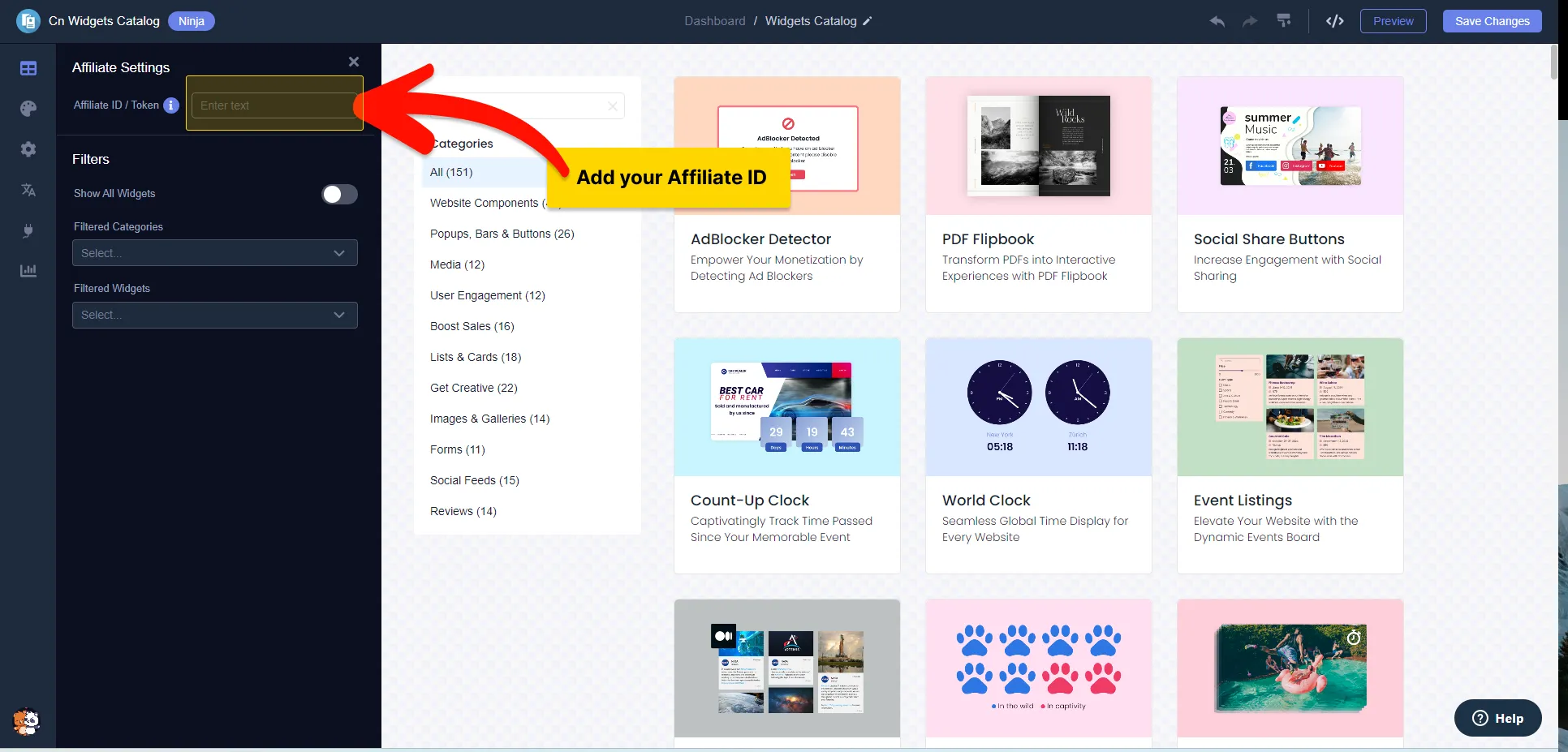
Adding Your Affiliate ID
Automatically Linking Your ID: Once you add your Affiliate ID to the widget, it will automatically attach to all widget links in the catalog. No extra steps are needed!
- Find your unique Affiliate ID.
- In the widget, look for a spot that says "Affiliate ID".
- Paste your ID there, and you're all set!
That's it! Your Affiliate ID will automatically be added to all the catalog links.
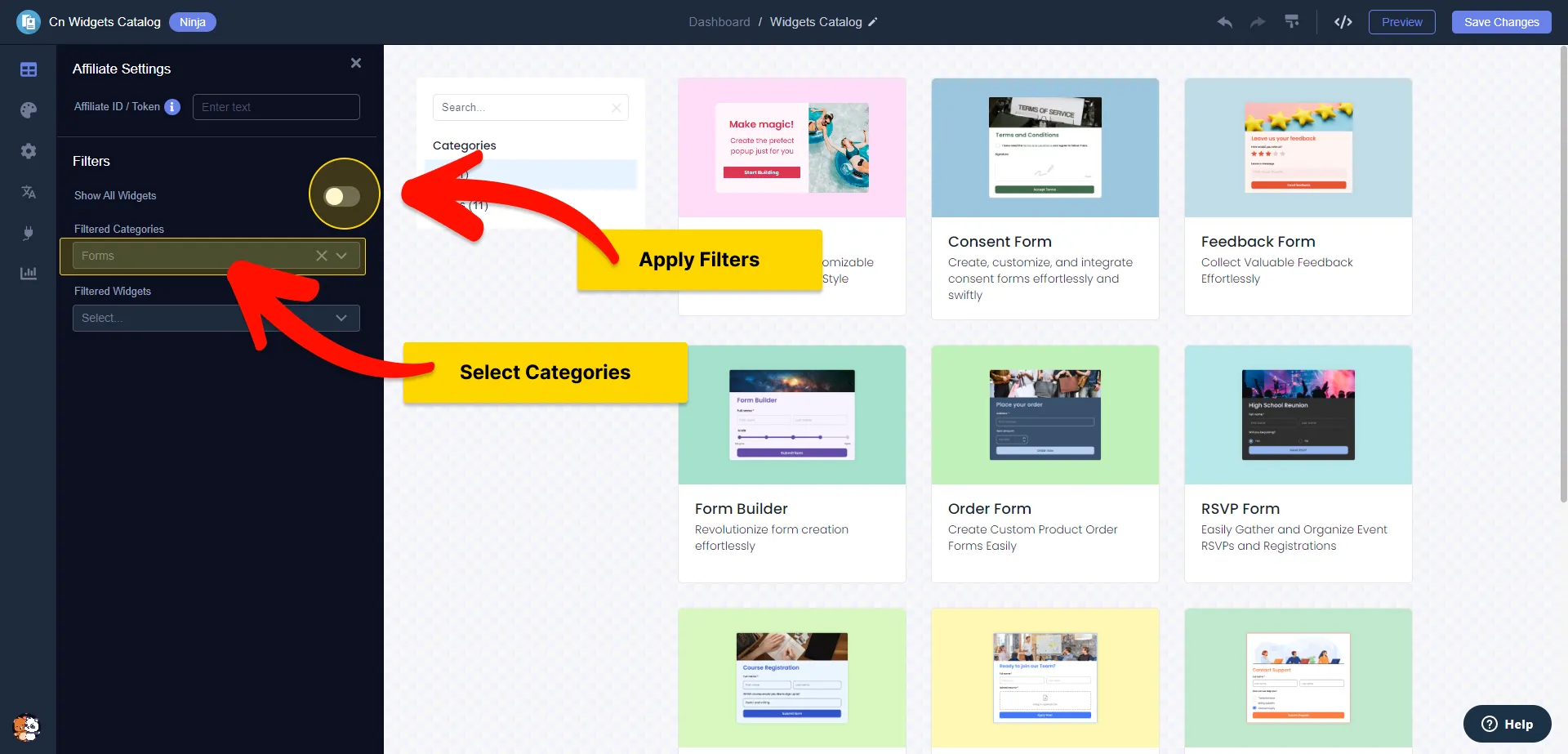
Filter the Catalog by categories
You have the option to display all widgets from the catalog or to filter them by category. For instance, if you want to showcase only engagement widgets or forms to complement your content or a specific article, you can easily adjust the catalog filter to suit your needs.
As we release new widgets and add them to the respective categories, they will automatically appear in your embedded widget, keeping your content fresh and up-to-date.
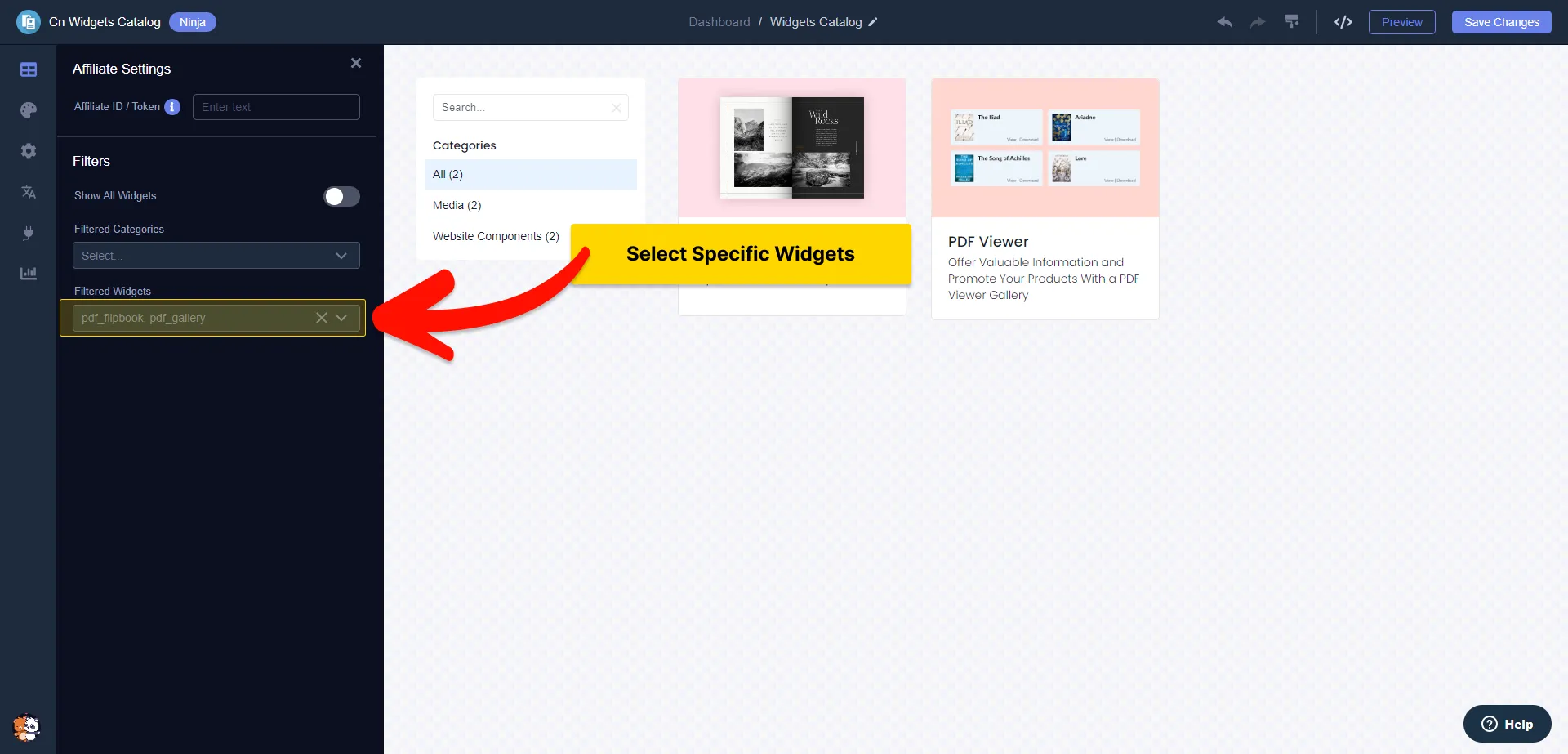
Select Specific widgets to display
You have the flexibility to choose specific widgets to display. This feature is particularly useful if you want to focus on a smaller group of widgets or even a single widget that complements your content or a particular article.
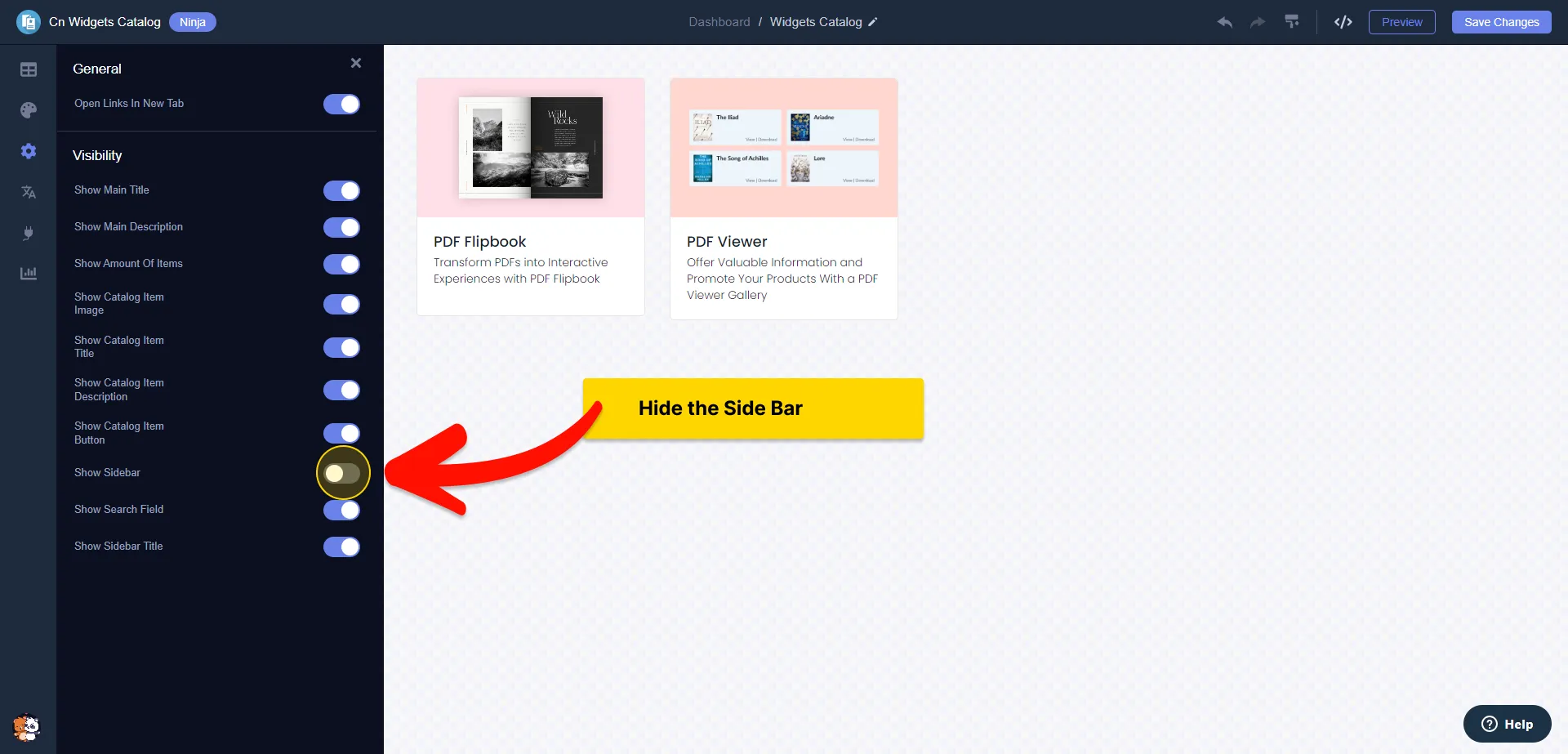
Hiding the sidebar
For a more streamlined appearance, you have the option to hide the categories' sidebar, creating a cleaner and more focused layout.
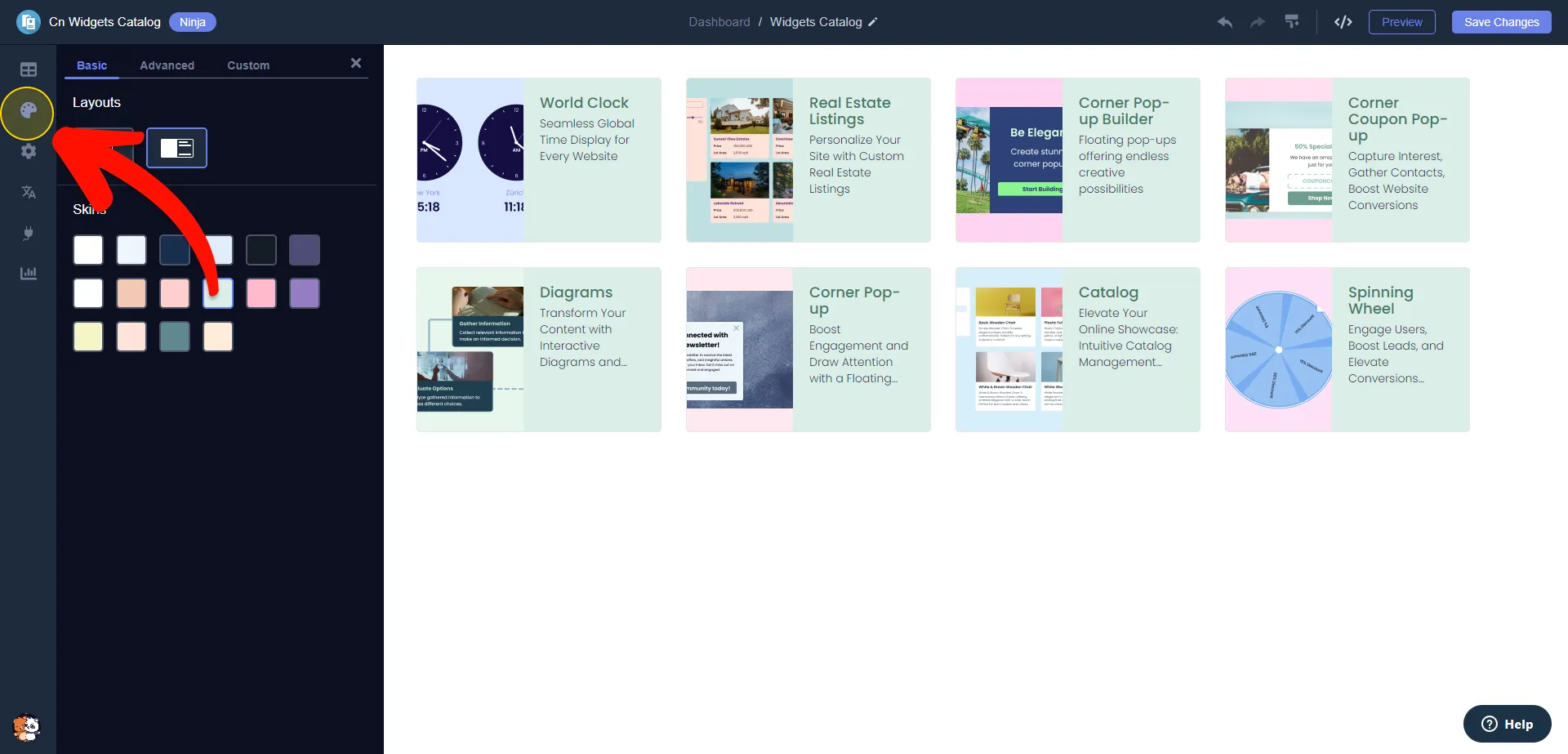
Select layouts and skins
You have the option to select from various layouts and design skins to tailor the appearance to your preference.
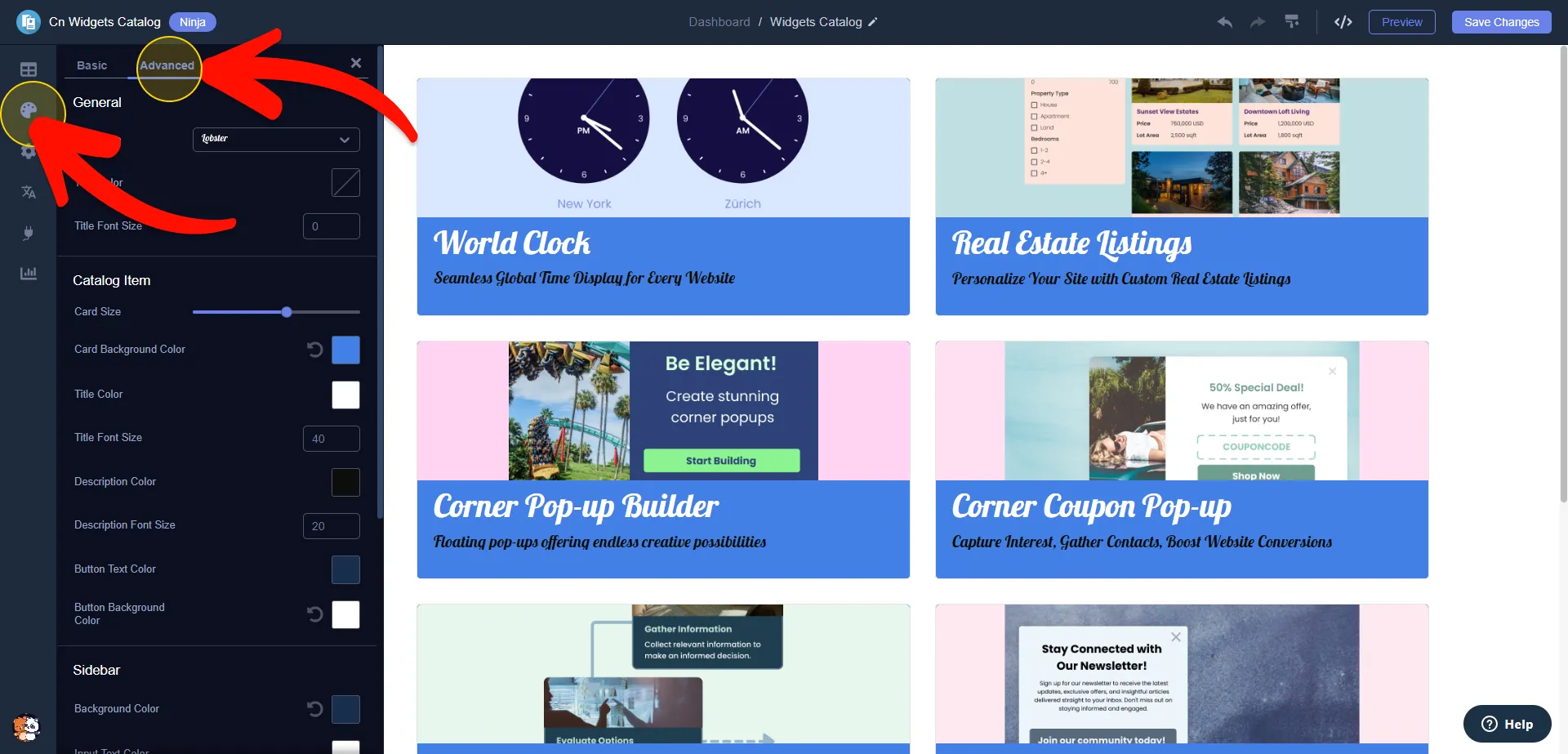
Advance Look&Feel Customization
Enhance the look and feel even further by customizing colors, fonts, and sizes to match your unique style.
Looking for More Tips and Resources?
For additional tips and resources tailored for affiliates, explore our comprehensive Affiliates Resources Hub and join our vibrant community for ongoing support and inspiration.
FAQ
The Common Ninja Embeddable Widgets Catalog is a collection of diverse, customizable, and user-friendly widgets that can be easily integrated into any website. It's designed to enhance website functionality while also enabling affiliates to earn commissions.
The Embeddable Widgets Catalog is specifically designed to boost affiliate marketing efforts. By integrating these widgets into your website, you not only enhance its functionality and user experience but also seamlessly integrate your affiliate links. Every time a widget is used, your affiliate ID is automatically linked, which can increase referral traffic and potential earnings. The customizable nature of the widgets also means they can be tailored to fit the theme and content of your site, making them more engaging to your audience and potentially improving click-through rates.
Yes, the Embeddable Widgets Catalog is free to use. This allows you to enhance your website and affiliate marketing efforts without any additional cost.
To link your Affiliate ID to the widgets, simply find your unique Affiliate ID, look for the "Affiliate ID" field in the widget settings, and paste your ID there. This will automatically attach your ID to all widget links in the catalog, with no extra steps needed.
Yes, you can either display all widgets from the catalog or filter them by category. This is useful if you want to showcase specific types of widgets, like engagement widgets or forms, to complement your content or articles. As new widgets are released and added to categories, they will automatically appear in your embedded widget.
Yes, you have the flexibility to choose specific widgets to display. This feature is useful for focusing on a smaller group of widgets or a single widget that complements your content or a particular article.
Absolutely! You can select from various layouts and design skins to tailor the appearance to your preference. Additionally, you can enhance the look and feel even further by customizing colors, fonts, and sizes to match your unique style.
Yes, for a more streamlined appearance, you have the option to hide the categories' sidebar, creating a cleaner and more focused layout.