Try for free!

Flash Cards

Create interactive flash cards that present questions and answers in a clear, customizable format to support learning, training, and user engagement.

Create Flash Cards

loved by 500K+ businesses

plugineditoreditor

Why Should You Use the Flash Cards Widget+?

Improve Knowledge Retention for Your Audience

The Flashcards widget allows you to present information in bite-sized, easy-to-digest chunks, which significantly enhances knowledge retention. Perfect for educational content, employee training, or product knowledge, the interactive format helps users absorb and recall key information more effectively.

Drive Traffic with Shareable Learning Content

By incorporating flashcards into your content strategy, you can create engaging, shareable learning tools that draw new visitors to your website. Students, educators, or professionals can easily recommend these flashcards to peers, helping you organically increase traffic and expand your reach.

Elevate Learning and Training Experiences

Whether you're building an e-learning platform, offering online courses, or conducting corporate training, the Flash Cards widget helps elevate the overall learning experience. It offers a more engaging way to review content, allowing users to test their knowledge and track progress in a dynamic and personalized way.

Easy Question and Answer Creation

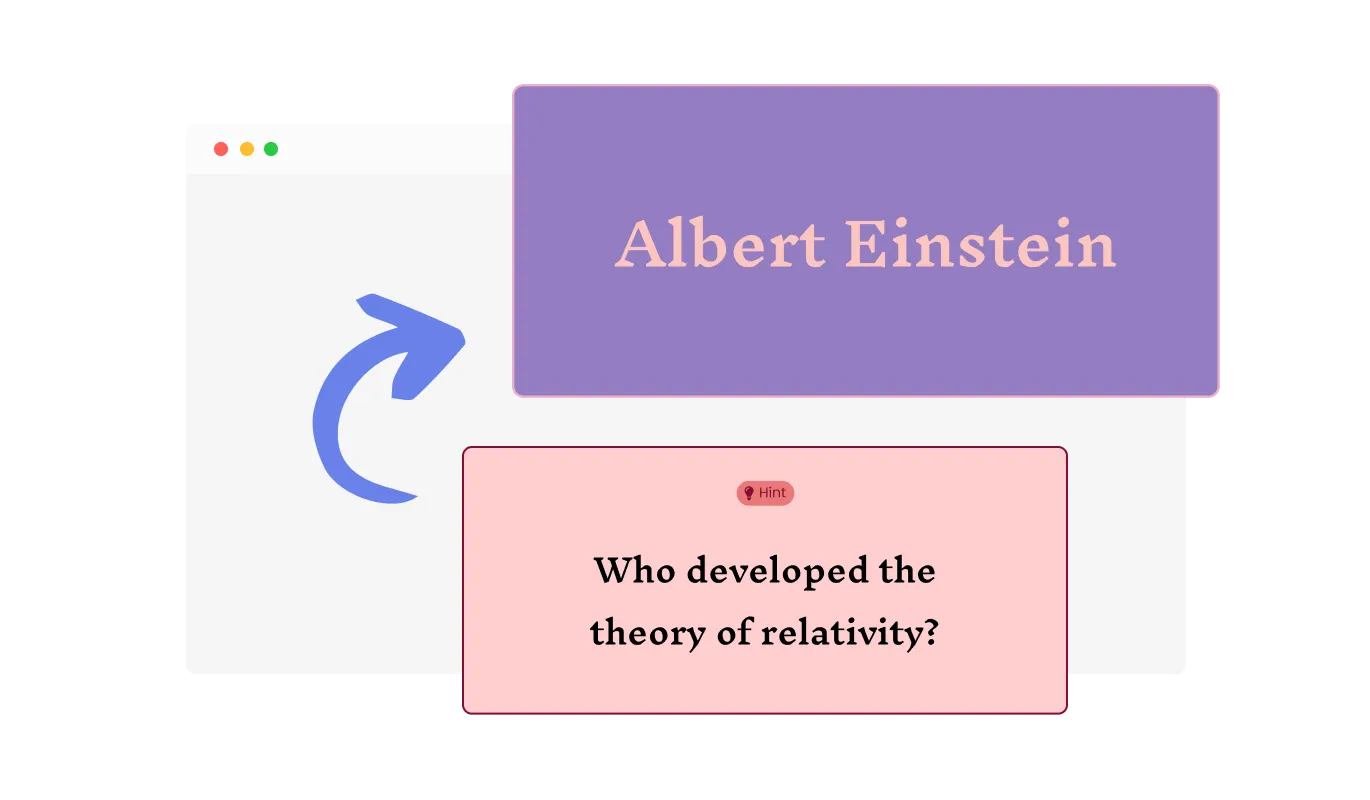
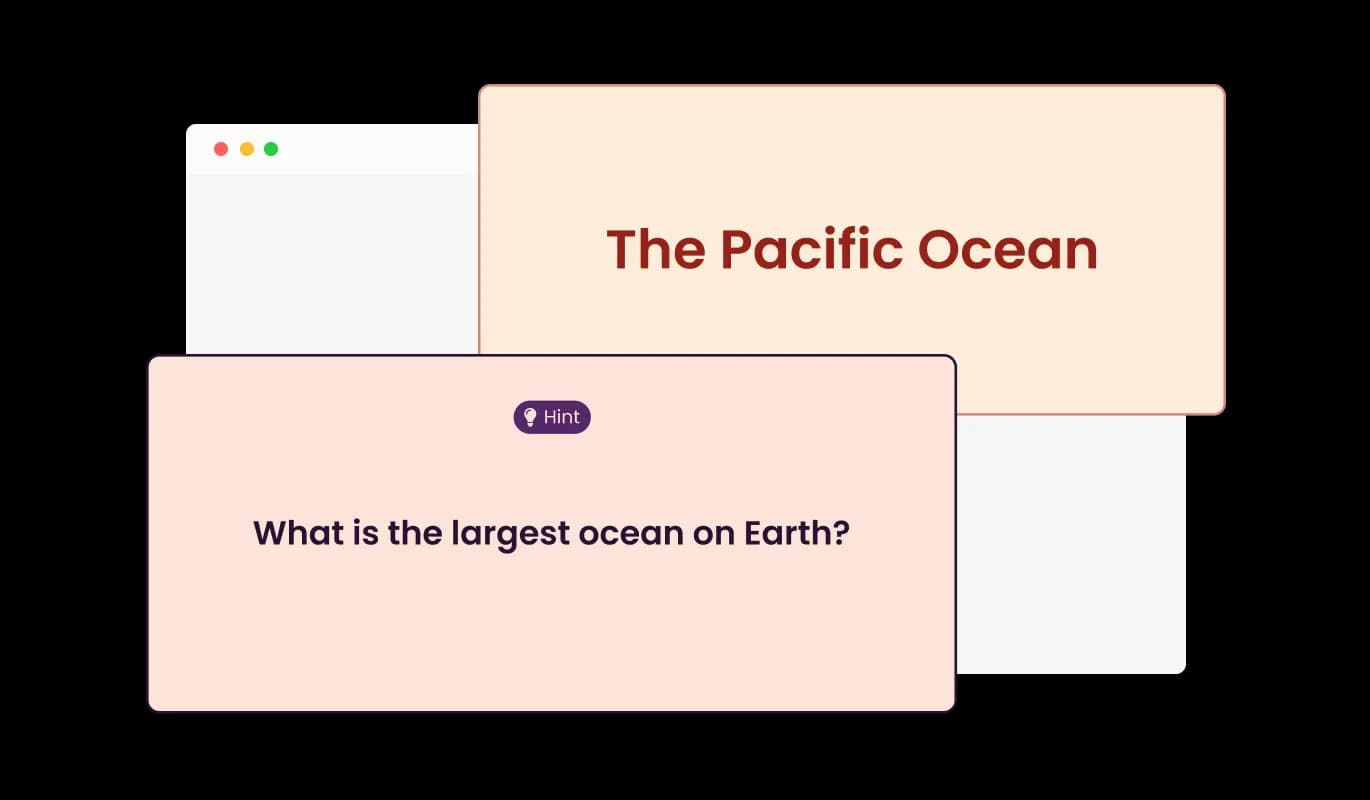
The Flash Cards widget allows you to easily create questions and answers for each card, making it perfect for quizzes, study guides, and interactive learning experiences. You can enter a question or term, followed by a detailed answer, giving you full control over the content. This simplicity ensures that anyone—whether an educator, business trainer, or content creator—can design effective flashcards without needing technical skills.
Flash Cards - Easy Question and Answer Creation

Review and Answer Reveal

The Flash Cards widget includes a review feature, letting users go back and review their answers after completing the set. This allows learners or quiz takers to assess their performance and correct any mistakes, reinforcing the learning process or identifying areas for improvement.

Flash Cards - Review and Answer Reveal

Interactive End Screen for Flash Cards

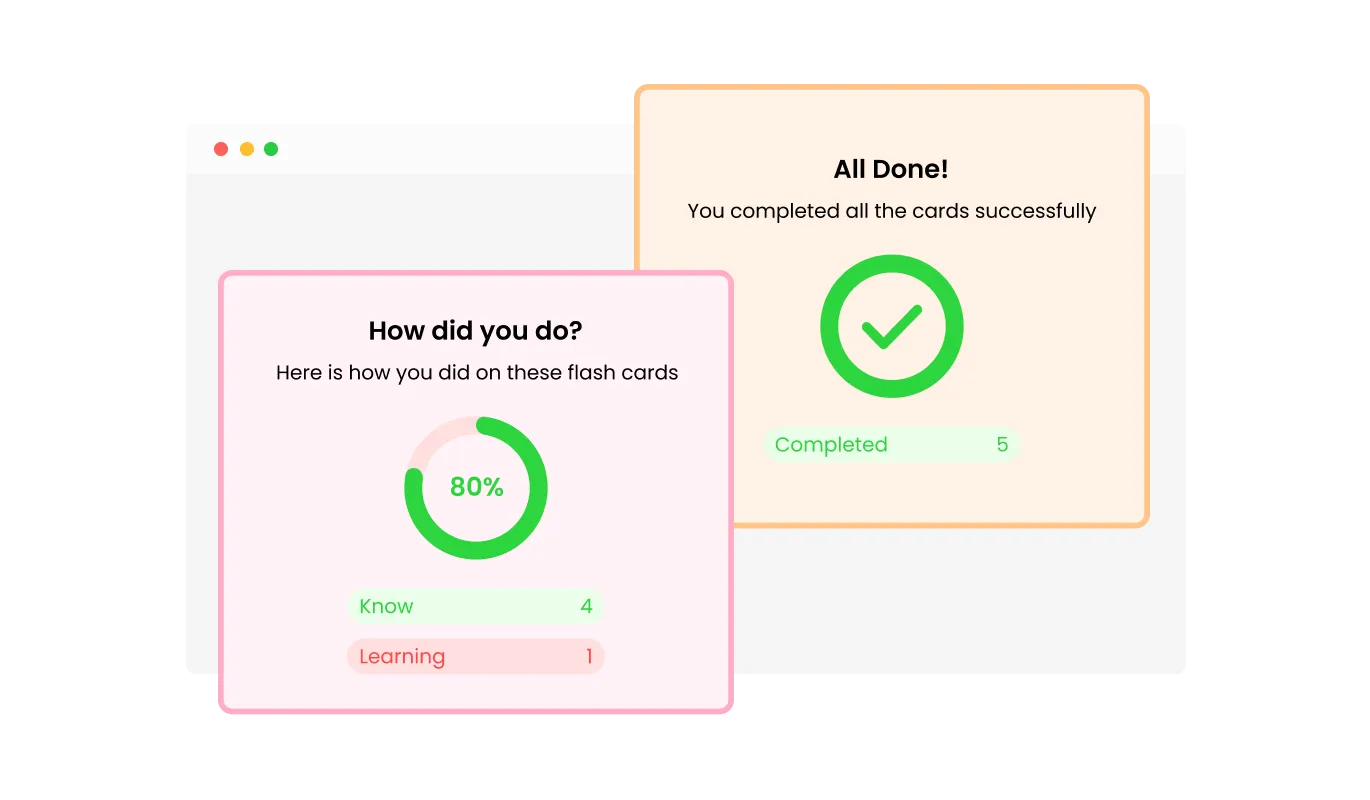
Once users complete the flashcards, the Flash Cards widget displays an interactive end screen showing their results. This screen can display completion percentages, performance summaries, and options to review answers or retake the quiz, giving users valuable feedback and a sense of accomplishment.

Flash Cards - Interactive End Screen for Flash Cards

Select from Multiple Flashcards Design Skins

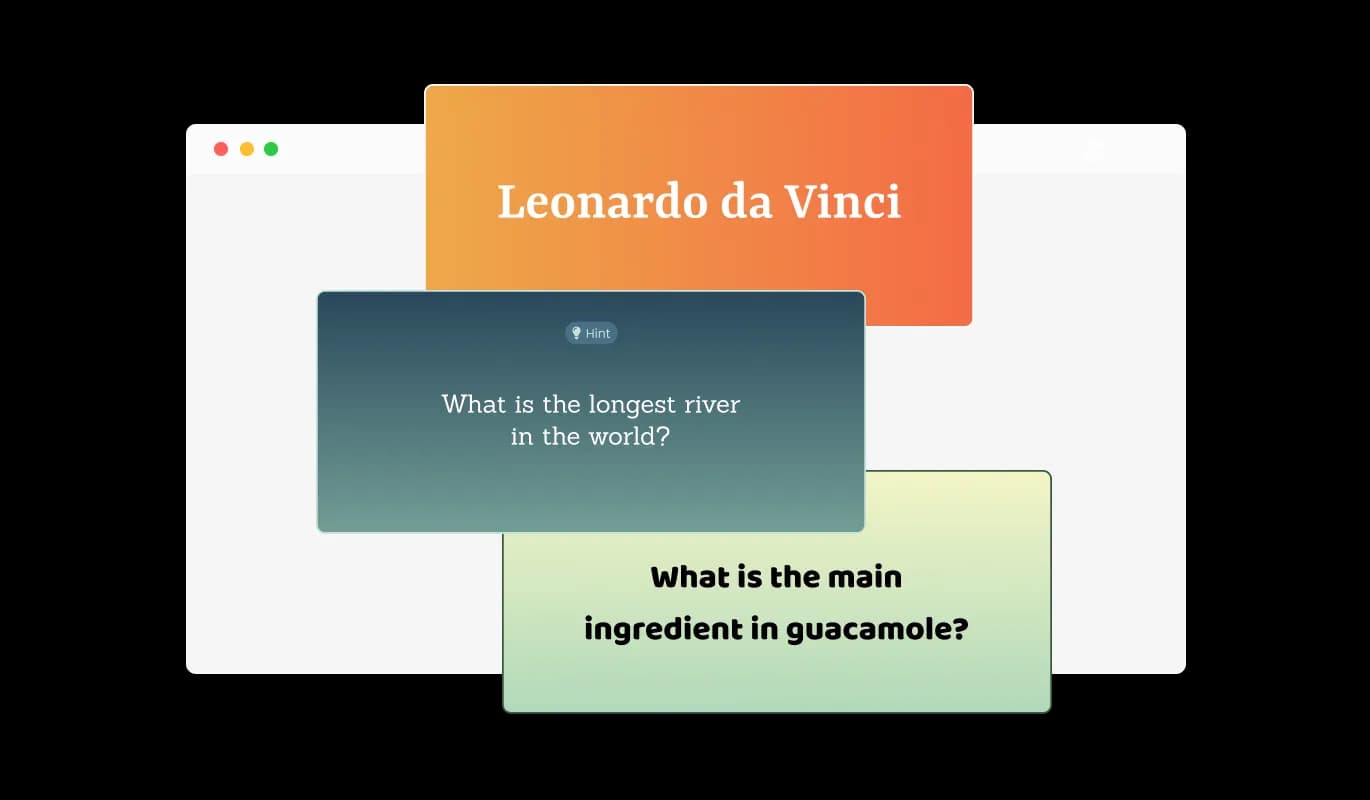
The Flashcards widget offers a variety of pre-designed skins, allowing you to choose a style that fits seamlessly with your website's aesthetics. Whether you prefer a minimalist look or something more vibrant, the skins save you time by reducing the need for extensive customization, ensuring a visually cohesive and attractive presentation.

Flash Cards - Select from Multiple Flashcards Design Skins
Flash Cards - Progress Tracking with Flashcards

Progress Tracking with Flashcards

The Flashcards widget includes a progress tracking feature that shows users how many cards they've completed and how far they have to go. This visual progress indicator keeps users motivated and engaged, helping them track their learning or quiz journey in real time.

Flash Cards - Auto-Play Mode with Timed Sessions

Auto-Play Mode with Timed Sessions

With the Flash Cards widget, you can enable an auto-play mode that advances cards automatically after a set time. This is perfect for timed study sessions or quizzes, allowing users to focus on the content without needing to manually navigate each card, providing a smooth and uninterrupted experience.

Flash Cards - Easy to Use Flash Cards Widget

Easy to Use Flash Cards Widget

The Flash Cards widget is designed with ease of use in mind. You don’t need any coding experience to set it up or customize it. Its intuitive interface allows you to quickly create flashcards, adjust settings, and personalize the widget with just a few clicks, making it accessible to users of all technical backgrounds.

Fully Customizable Flash Cards Widget

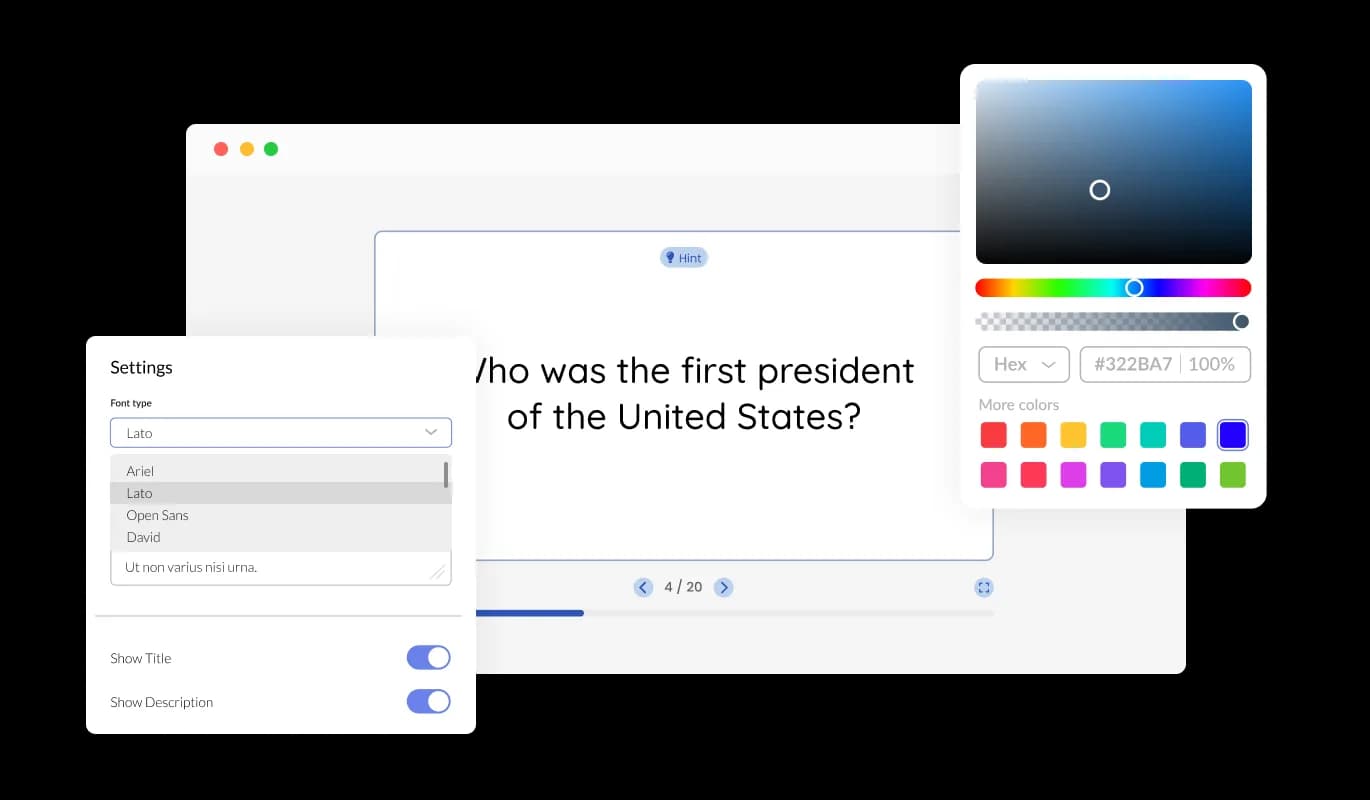
The Flash Cards widget offers extensive customization options, allowing you to tailor the design to match your website’s aesthetic. You can modify the colors, fonts, and card styles to ensure that the widget aligns seamlessly with your branding. This flexibility allows you to create a unique and visually appealing flash card experience for your users.

Flash Cards - Fully Customizable Flash Cards Widget

Perfectly Responsive Flash Cards Widget

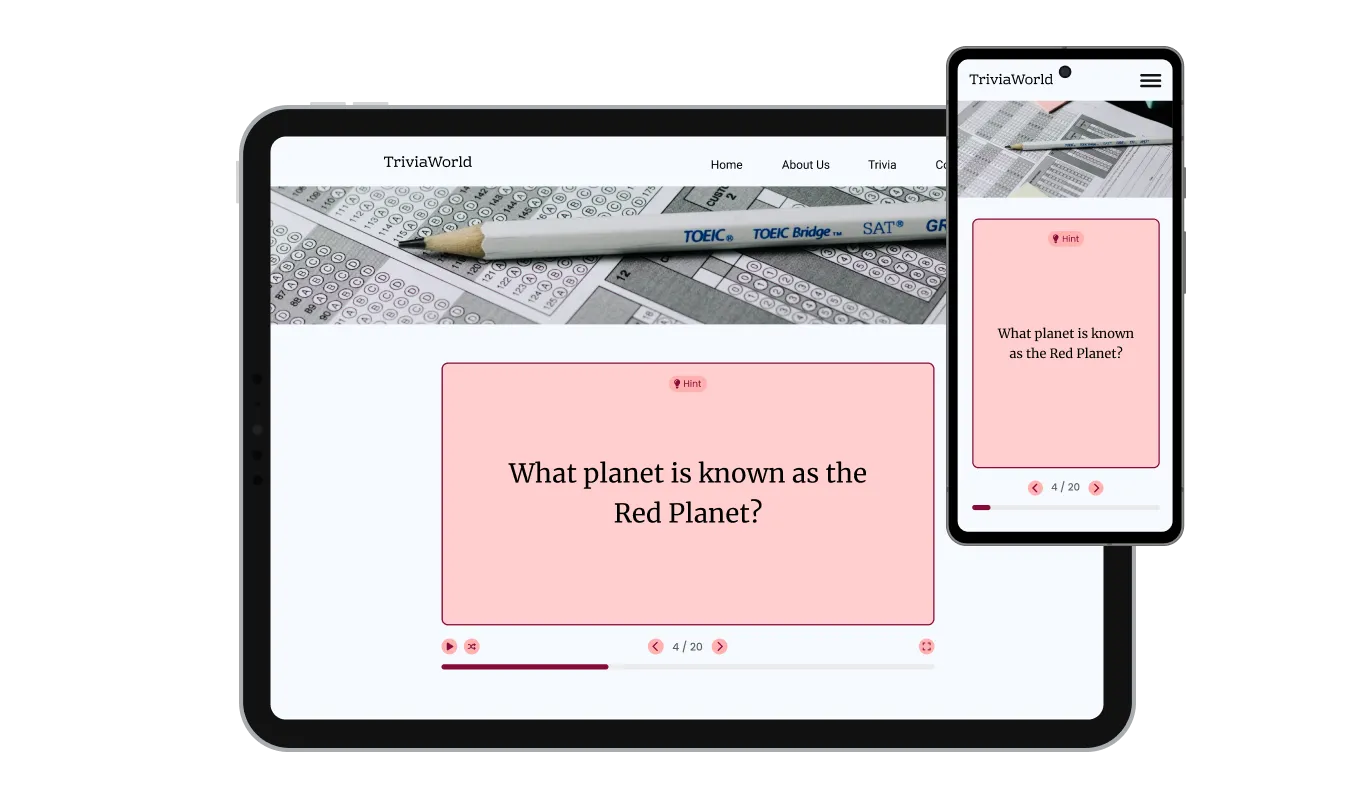
The Flash Cards widget is fully responsive, ensuring it works flawlessly on any device, including desktops, tablets, and mobile phones. This feature guarantees that your users can interact with the flashcards in an optimal format no matter what device they’re using, enhancing accessibility and user experience.

Flash Cards - Perfectly Responsive Flash Cards Widget

Custom CSS for Enhanced Creativity

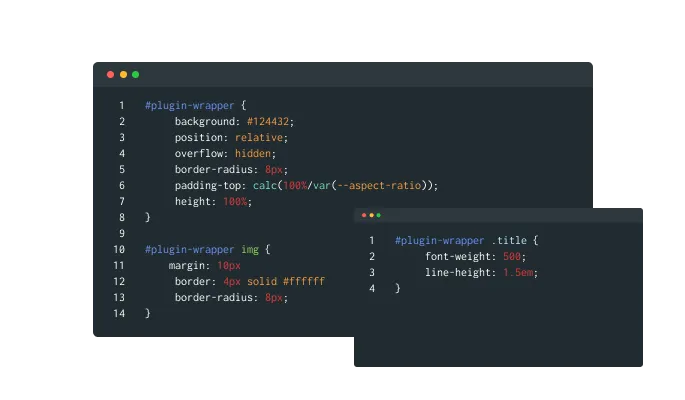
For users with more advanced design needs, the Flash Cards widget allows the addition of custom CSS. This feature provides designers and developers with the freedom to make deeper customizations, giving them the ability to enhance the look and feel of the flashcards while keeping the functionality intact.

Flash Cards - Custom CSS for Enhanced Creativity

Effortless Embedding of Flash Cards on Any Website

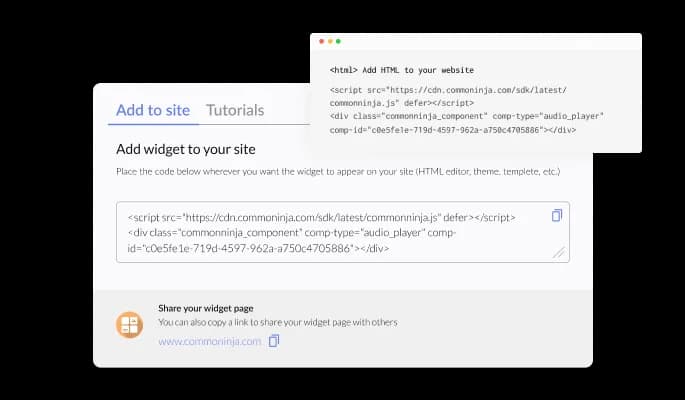
Embedding the Flash Cards widget on your website is straightforward, requiring just a single line of code. Once embedded, the widget automatically updates with any changes you make, ensuring that your flashcards are always up-to-date without the need for manual intervention or extra effort. This makes maintenance hassle-free for site owners.

Flash Cards - Effortless Embedding of Flash Cards on Any Website

Compatible With All Site Builders, E-Commerce Platforms and Websites

webflow logoshopify logowix logowordpress logobigcommerce logosqurespace logoweebly logojoomla logoduda logojimdo logomagento logoshift4hsop logounbounce logocarrd logo
View all supported platforms

FAQ

Flash cards are interactive digital cards that contain questions or terms on one side and answers or explanations on the other. They are used as a study or quiz tool to help users memorize information, test knowledge, or reinforce learning through repetition and active recall.

The Flash Cards widget is designed for creating interactive flashcard sets that can be used on websites to engage users in learning, training, or quizzes. It’s perfect for educational purposes, employee training, language learning, and content creators who want to offer interactive tools to their audience. It helps users retain information more effectively by presenting questions with hints and answers.

The Flash Cards widget is suitable for a wide range of users, including:

  • Educators and teachers looking to create interactive learning materials for their students.
  • Students who want to study and prepare for exams with self-made flashcards.
  • Corporate trainers providing knowledge reviews or training sessions for employees.
  • E-learning platforms offering interactive tools to enhance their online courses.
  • Content creators and bloggers adding value to their websites with educational tools.
  • Test preparation services offering quizzes and practice tests for exams like SAT, GRE, or language proficiency tests.


You can use the Flash Cards widget on your website to engage visitors in various ways:

  • Create quizzes or knowledge checks for your audience.
  • Develop study materials or flashcard sets for students or learners.
  • Implement interactive training modules for employee onboarding or product knowledge.
  • Add gamified learning experiences to make your content more engaging and shareable.
  • Use it for language learning or vocabulary practice, where users can test themselves with terms and definitions.


Yes! The Flash Cards widget is fully customizable. You can modify the colors, fonts, and layout of the flashcards to match your website’s design. You can also add custom CSS for advanced customization, ensuring the flashcards integrate seamlessly with your brand.

Absolutely. The Flash Cards widget is designed to be fully responsive, meaning it works perfectly on any device, whether it’s a desktop, tablet, or mobile phone. This ensures that users can interact with the flashcards no matter where they are or what device they’re using.

Yes, the Flash Cards widget comes with built-in progress tracking. Users can see how far they’ve progressed through the flashcard set, helping them stay motivated and focused on completing the activity.

Yes, the Flash Cards widget supports multiple languages. This makes it an ideal tool for websites with a global audience, allowing you to create flashcards in different languages or for use in language learning exercises.

Yes, you can add hints to your flashcards using the Flash Cards widget. Hints provide users with additional clues or guidance without revealing the full answer, making the learning process more interactive and engaging.

Embedding the Flash Cards widget on your website is simple. After configuring your flashcards, you can embed them with a single line of code. The widget will automatically update with any changes you make, ensuring that the flashcards stay current without requiring any extra work from you.

Yes, the Flash Cards widget includes a shuffle feature that allows you to randomize the order of the flashcards. This is especially useful for quizzes, where randomization can help prevent memorization of the order and ensure a more effective learning experience.

Yes, the Flash Cards widget has an auto-play mode. With this feature, you can set a timed session where the flashcards automatically advance after a specified amount of time. This is ideal for hands-free study sessions or timed quizzes.

Absolutely! The Flash Cards widget includes an answer review feature. Once users finish a flashcard session, they can review their answers and compare them to the correct ones. This feature is perfect for learning and self-assessment.

The Flash Cards widget provides an interactive end screen after users complete the flashcard set. The screen displays their progress, including a completion percentage, and offers options to review their answers or retake the quiz. It’s a great way to give users feedback and encourage further interaction.