Try for free!

Course Listings

Create course listings with a course catalog widget that displays programs clearly, supports easy organization, and helps visitors explore courses effectively.

Create a Course Listings

loved by 500K+ businesses

plugineditoreditor

Why Should You Use the Course Listings Widget+?

Enhance Visibility of Your Educational Offerings

With the Course Listings widget, you can enhance the visibility of your educational offerings. By displaying your courses prominently on your website, you ensure that visitors are aware of the full range of programs available, helping to attract a wider audience and improve your institution's reach.

Simplify Course Discovery for Users

The Course Listings widget simplifies course discovery for users by organizing courses into an intuitive and searchable format. This ease of navigation allows potential students to quickly find courses that match their interests and needs, improving their overall experience and satisfaction.

Improve Enrollment Rates with Course Listings

Using the Course Listings widget can improve enrollment rates by making your courses more accessible and appealing. The clear and structured presentation of course information encourages visitors to take the next step in their educational journey, ultimately leading to higher conversion rates.

Dedicated Course Information Fields

The Course Listings widget comes with predefined fields for key details such as course name, description, start date, and price. This setup ensures that all essential information is neatly presented for potential students.
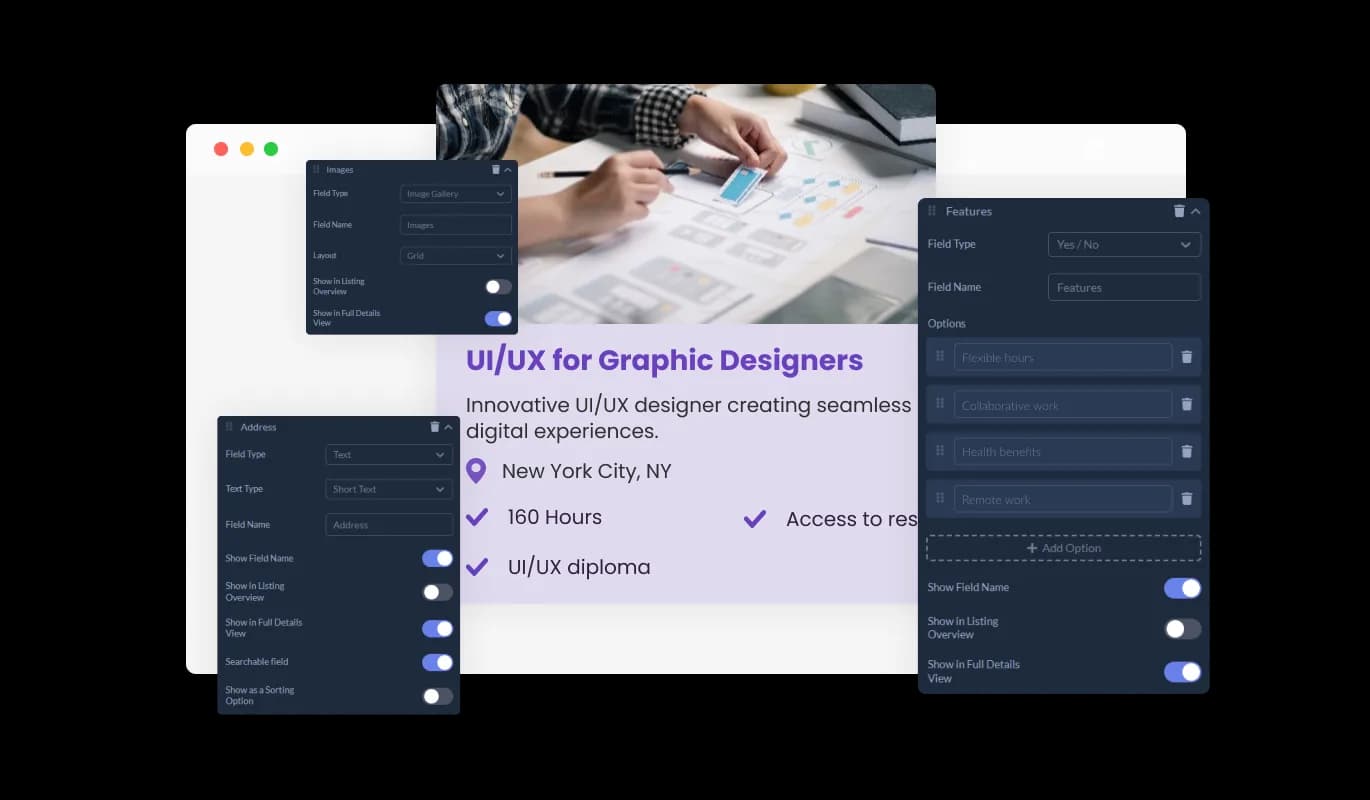
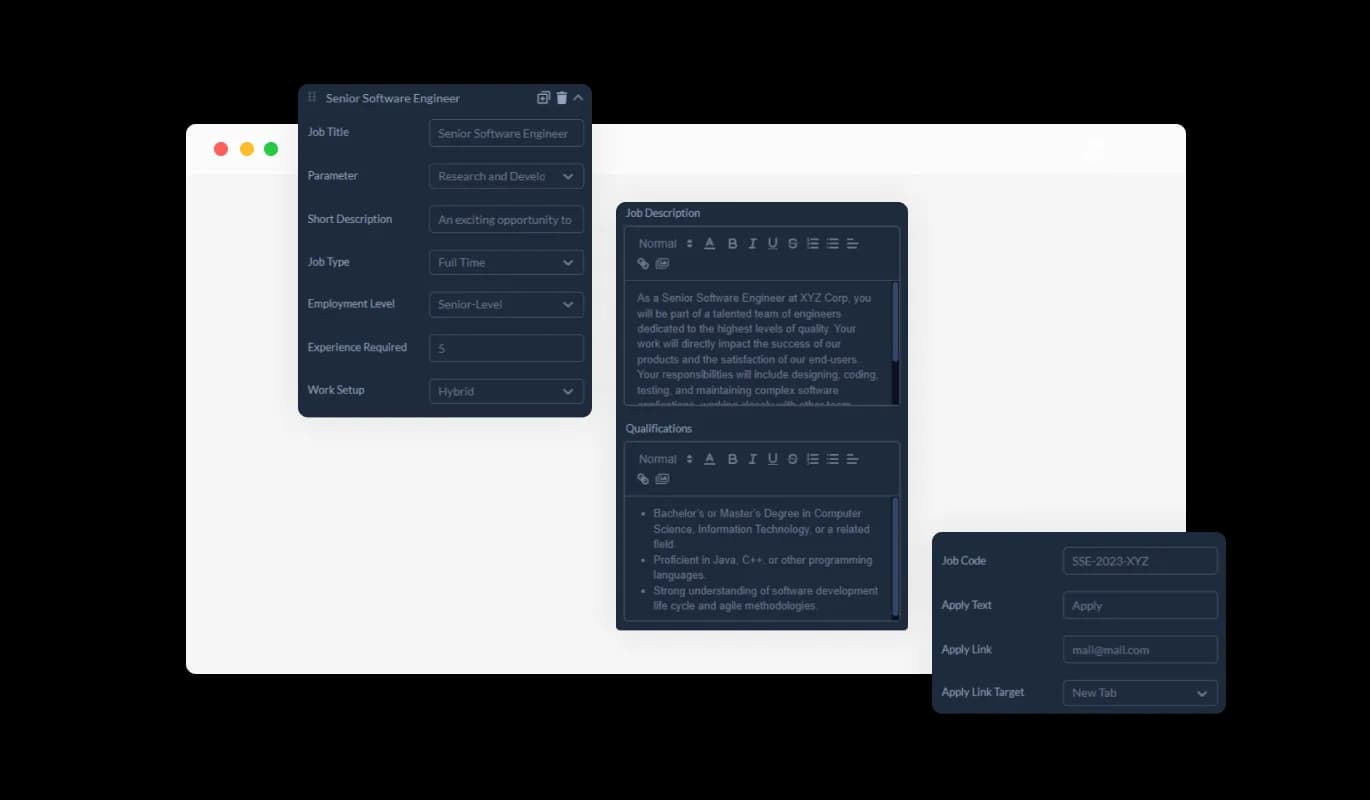
Course Listings - Dedicated Course Information Fields

Adaptable Custom Fields

Tailor your course listings with flexible custom fields. Add extra information like prerequisites, course format, or certification details to meet your institution’s specific needs.

Course Listings - Adaptable Custom Fields

Detailed Curse Information

Every course listing features a Full Details Card, offering a comprehensive overview of the course content, prerequisites, and instructor information. Students gain valuable insights to determine their suitability for the course and interest in enrolling.

Course Listings - Detailed Curse Information

Versatile Courses Display

Adapt the presentation of courses with customizable display options. Choose which fields appear in the preview lists and detailed course cards to provide potential students with essential information at a glance and in-depth insights when needed.

Course Listings - Versatile Courses Display

Select from Multiple Course Listings Design Skins

The widget provides a variety of beautiful skins, enabling you to align the design with your brand and website aesthetics. This reduces customization time and ensures a cohesive and attractive interface.

Course Listings - Select from Multiple Course Listings Design Skins
Course Listings - Interactive Visual Elements

Interactive Visual Elements

Enhance your course listings with interactive visual elements. Incorporate images, videos, and other multimedia to create an engaging and informative experience for prospective students.

Course Listings - Advanced Search and Filter Options

Advanced Search and Filter Options

Offer advanced search capabilities and filters to users. Allow students to find courses by category, level, duration, and more, making it easy for them to find the right course.

Course Listings - Personalized Sorting Features

Personalized Sorting Features

Provide customizable sorting options for users. Let students sort courses by name, date, popularity, and other criteria, making navigation intuitive and user-friendly.

Course Listings - Easy-To-Use Business Listings Widget

Easy-To-Use Business Listings Widget

The Business Listings widget is user-friendly and requires no coding expertise for customization. Its intuitive dashboard makes it simple to integrate and modify, making it accessible for all users.

Fully Customizable Course Listings Widget

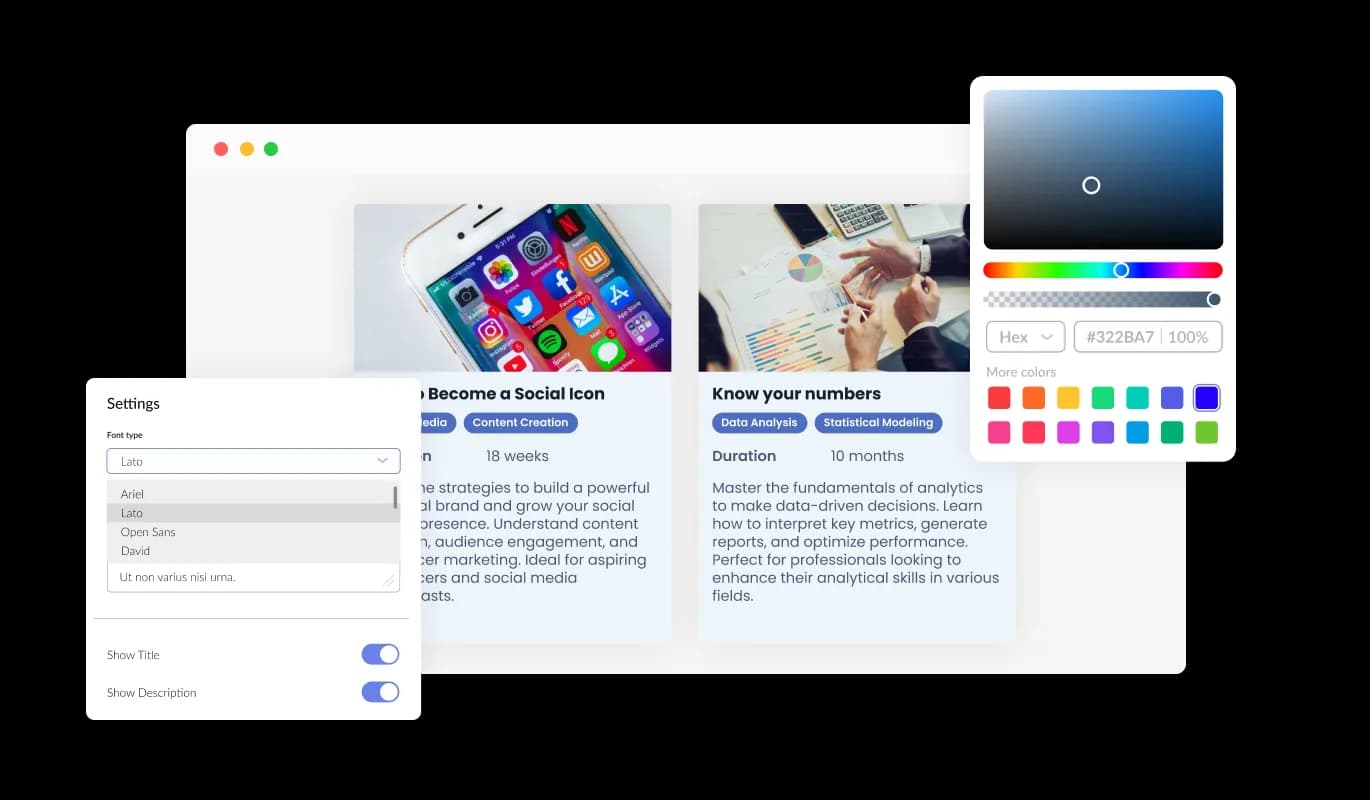
Enjoy extensive customization capabilities with the Course Listings widget. Modify colors, fonts, spacing, and other elements to create a widget tailored to your website’s look and functionality.

Course Listings - Fully Customizable Course Listings Widget

Perfectly Responsive Course Listings

The Course Listings widget is fully responsive, ensuring an elegant display on any device. This feature is crucial for providing a consistent user experience across desktops, tablets, and smartphones.

Course Listings - Perfectly Responsive Course Listings

Custom CSS for Enhanced Creativity

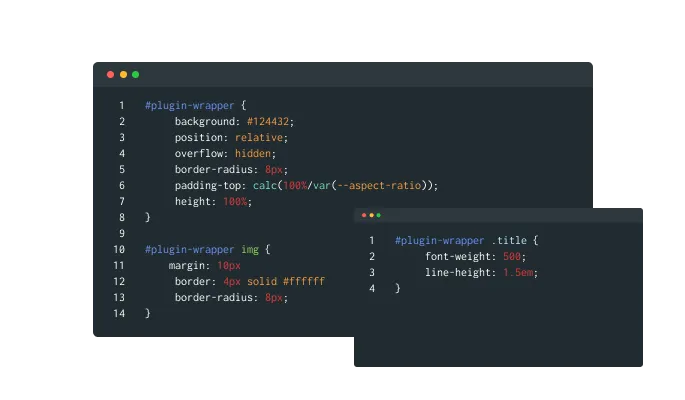
Add custom CSS to the Course Listings widget for deeper customization. This feature is ideal for developers and designers who want to apply a unique touch, allowing for fine-tuned adjustments to match your website’s style.

Course Listings - Custom CSS for Enhanced Creativity

Effortless Embedding of Course Listings on Any Website

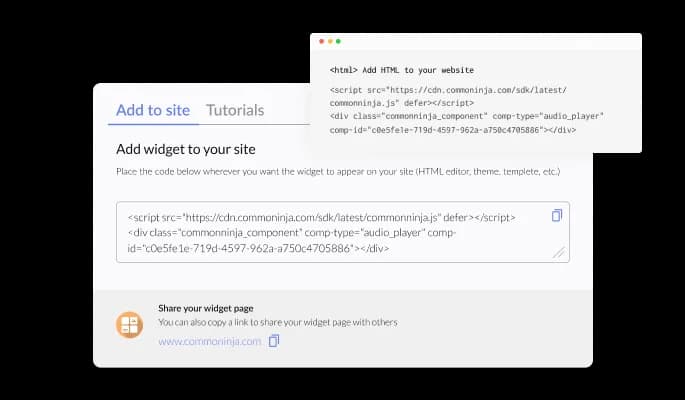
Embedding the Course Listings widget is straightforward, requiring just a single line of code. This ease of integration ensures that users of all technical levels can set it up quickly, with automatic updates reflecting every change made.

Course Listings - Effortless Embedding of Course Listings on Any Website

Compatible With All Site Builders, E-Commerce Platforms and Websites

webflow logoshopify logowix logowordpress logobigcommerce logosqurespace logoweebly logojoomla logoduda logojimdo logomagento logoshift4hsop logounbounce logocarrd logo
View all supported platforms

FAQ

The Course Listings widget is a tool that allows you to display and manage your course offerings on your website in an organized and visually appealing manner.

Integrating the Course Listings widget is easy and requires no coding. Simply embed the provided line of code into your website's HTML.

Yes, the widget offers extensive customization options including layouts, colors, fonts, and more to match your website’s design.

Yes, the Course Listings widget is fully responsive and ensures a consistent user experience on desktops, tablets, and smartphones.

You can include course name, description, instructor, duration, prerequisites, format, certification details, and more using pre-set and custom fields.

Yes, you can enhance your course listings with images, videos, and other multimedia elements to make them more engaging.

Yes, the widget provides built-in analytics to track views, clicks, and enrollments, helping you gain insights into course performance.

Yes, the widget includes enhanced search capabilities and filters, allowing users to easily find courses by category, level, duration, and other criteria.

Yes, users can sort the course listings by name, date, popularity, and other parameters for easier navigation.

Yes, you can add custom CSS to further customize the widget’s appearance and functionality according to your website’s needs.

The widget updates automatically with every change you make, ensuring your website always displays the most current information.

Yes, we offer support to help you with any questions or issues you may encounter while using the Course Listings widget.

Yes, the widget can be embedded on any website platform that supports HTML code integration.

You can track user engagement through the widget's built-in analytics, which provide detailed insights into how users interact with your course listings.